Bulk Certificate Generator
Create certificates from your spreadsheet, beautifully
Training completions, awards, diplomas: upload your list of recipients and one example certificate. SheetRender generates a polished PDF for every person, each one a separate file.
Sound familiar?
- Designing individual certificates in Canva or Word is painfully slow
- Mail-merge tools produce bland, template-looking output
- Managing a batch of 200+ certificates by hand is error-prone
How SheetRender helps
A better way to create certificates
Start from any certificate design
Show SheetRender a certificate you love: ornate borders, school crests, corporate branding. It closely recreates the layout as a template your data fills in, and you refine it until it matches. No design tool required.
Every recipient in one run
Names, dates, course titles, scores: each row becomes its own certificate. Download the batch as individual PDFs or one combined file.
Print-ready quality
Real page breaks, crisp type, and print-ready margins. What you preview is what you print, perfect for framing.
See it in action
Your data becomes personalized certificates
| name | course | date | score |
|---|---|---|---|
| Maria Santos | Advanced Safety | 2026-06-15 | 94% |
| David Kim | Advanced Safety | 2026-06-15 | 88% |
| Sarah Chen | First Aid Cert. | 2026-06-20 | 97% |
| James Okonkwo | First Aid Cert. | 2026-06-20 | 91% |
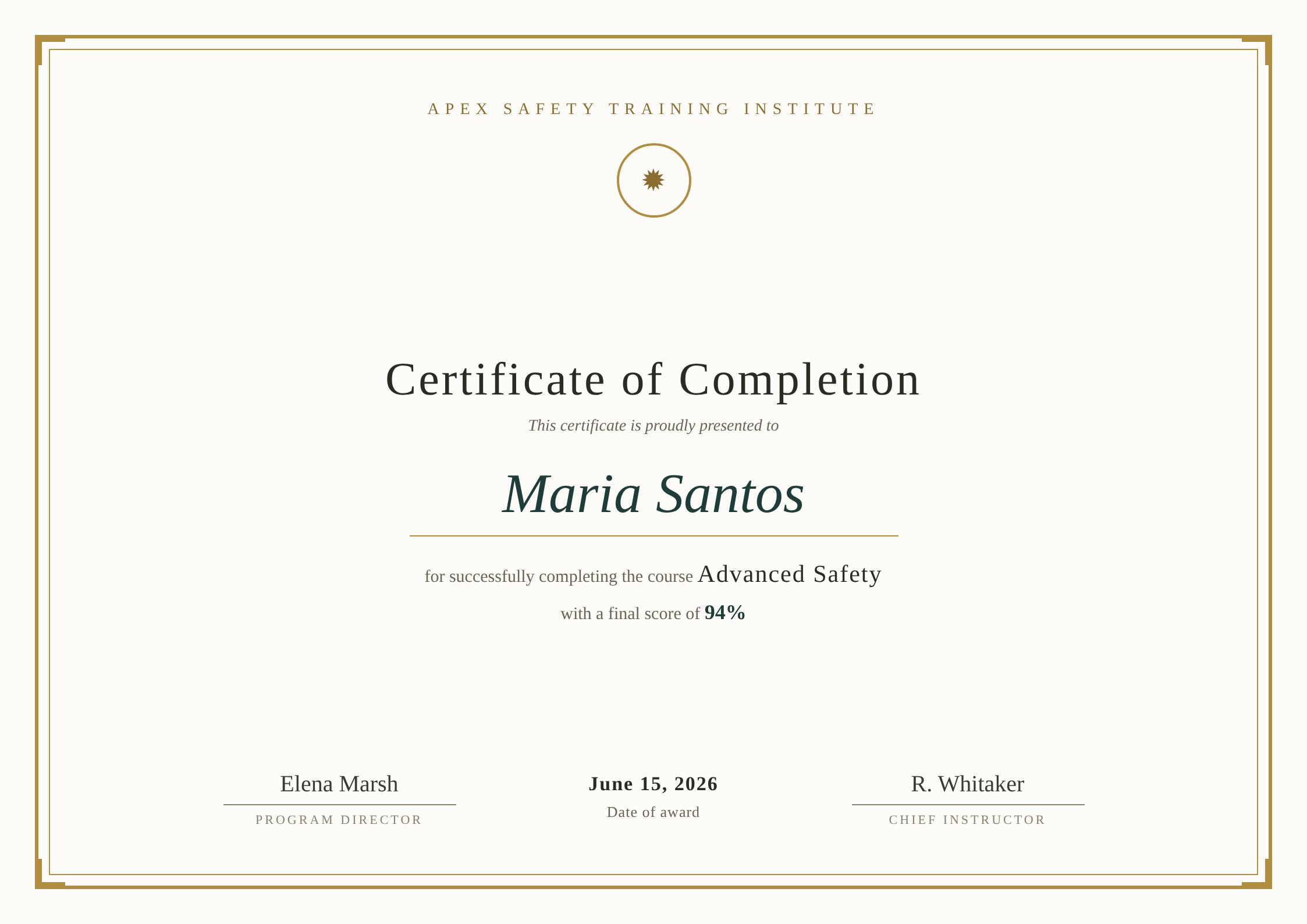
Each row becomes its own polished document, ready to download or email.
How to create certificates from a spreadsheet
- 1
Bring in your recipient list
Upload training_completions.csv, or connect the Google Sheets™ spreadsheet your training records land in. Each row becomes one certificate: name, course, date, score.
- 2
Upload a certificate you would be happy to hand out
A PDF, a scan, or a screenshot of the design you used last year all work. Ornate borders, a crest, a signature line: SheetRender works from the finished page, so what is in the example is what it recreates.
- 3
Review the template it builds
The rebuilt design picks up the orientation of your example, landscape or portrait, and drops Maria Santos and Advanced Safety onto the right lines. The preview cycles through real rows from your file, and anything it guessed wrong is yours to change.
- 4
Fix the details certificates are fussy about
Centering and type size are what people notice. Nudge either in the editor, or ask for the name two sizes larger, and check that your longest name still sits on one line.
- 5
Generate the batch
Every row renders as its own print-ready PDF at the page size your example used. Take them as individual files, as one combined document for the print shop, or as a zip.
- 6
Put repeat runs on a schedule
If completions keep arriving in a Google Sheets™ spreadsheet, a weekly schedule with "skip rows that were already processed" turned on certifies only the people who finished since the last run.
Frequently asked questions
- Can I generate certificates from a Google Sheet automatically every week?
- Yes. Connect the Google Sheets™ spreadsheet, pick the weekday and hour the run fires, and switch on "skip rows that were already processed" so each run certifies only new completions. Scheduling is a Starter feature at $19 a month; the free plan generates on demand.
- How many certificates can I make in one run?
- A run is not capped by row count; your monthly plan allowance is the ceiling. That allowance runs from 50 documents a month on free and 1,500 on Starter up through the higher plans, so a cohort of 200 is one run and one zip file.
- Can I use my own certificate design?
- That is the intended path. Upload the design you already award and SheetRender recreates it, rather than handing you a gallery of templates to choose from. If the only copy you have is printed, a clean scan is usually enough to work from.
- Will they print properly?
- They render as real print PDFs with proper page size and margins, so the preview matches the sheet that comes out of the printer. A landscape certificate stays landscape, and nothing reflows between preview and print.
- Can each recipient be emailed their own certificate?
- Yes, provided the address is somewhere in the row. Plenty of people skip it and download the zip for whoever runs the ceremony, which is why delivery is a separate step you choose after the batch renders.