Batch Invoice Generator
Batch invoices from the spreadsheet you already have
Your billing already lives in a spreadsheet. Upload it with one example invoice, and SheetRender turns every row into a polished, print-ready invoice: one separate PDF per client, ready to download or email.
Sound familiar?
- Turning a billing spreadsheet into individual invoices eats hours every month
- Copy-paste mistakes lead to wrong amounts and embarrassing errors
- Generic invoice tools force you into rigid templates
How SheetRender helps
A better way to create invoices
Use your own invoice design
Upload any invoice you already like: a PDF, a screenshot, even a web page. SheetRender studies the layout and rebuilds it as a template for your data.
One batch, every client
Each row in your spreadsheet becomes a personalized invoice with the correct client, amount, dates, and description. Generate hundreds in a single run.
Generate, then deliver
Schedule recurring generation for monthly billing, review the finished batch, then send each invoice to the matching email column.
See it in action
Your data becomes personalized invoices
| client | amount | due_date | description |
|---|---|---|---|
| Acme Corp | $4,200 | 2026-07-15 | Q2 consulting |
| Bloom Studio | $1,850 | 2026-07-15 | Brand design |
| Cedar Labs | $6,400 | 2026-07-20 | API integration |
| Delta Finance | $3,100 | 2026-07-20 | Monthly retainer |
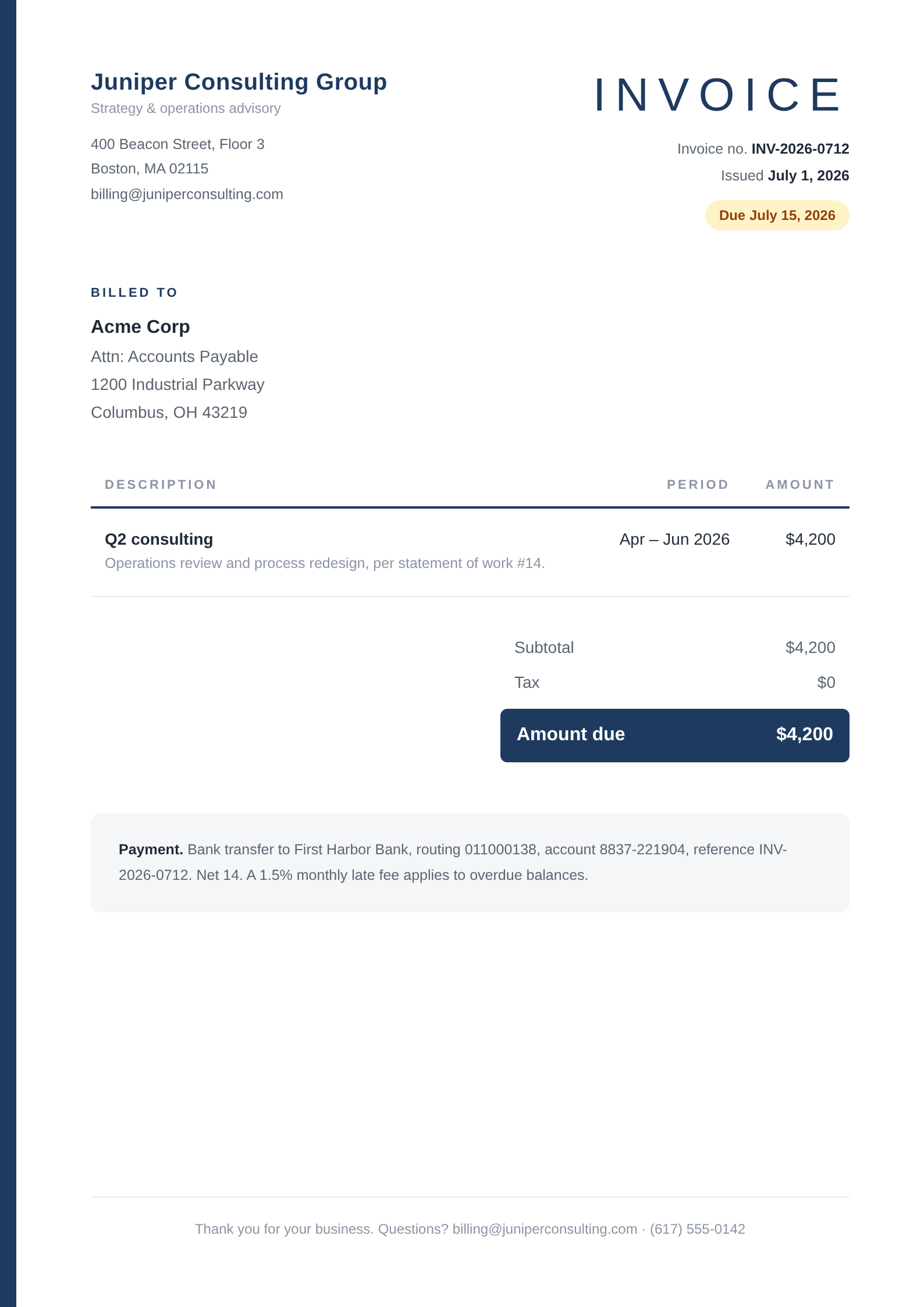
Each row becomes its own polished document, ready to download or email.
How to create invoices from a spreadsheet
- 1
Bring your billing data
Upload invoices_july.xlsx, or connect the Google Sheets™ spreadsheet you bill from. One row per invoice: client, amount, due_date, description.
- 2
Upload an invoice you already send
A PDF export from your accounting tool, a screenshot, or a web page all work as the example. SheetRender copies that layout instead of asking you to build one from parts.
- 3
Let it map the columns
Acme Corp goes to the bill-to block, $4,200 to the total, July 15 to the due date. Anything mapped to the wrong place can be moved before you generate.
- 4
Preview with real rows
Page through the preview using your own data. A description that runs long or a client name in full caps is much easier to catch now than after 90 invoices are sitting in a folder.
- 5
Generate the batch
One PDF per client, named from your columns. Download them individually, as a zip, or as a single combined file when someone needs to print the lot.
- 6
Schedule next month
For recurring billing, connect the Google Sheets™ spreadsheet and set a monthly run at the hour you choose. The sheet is re-read each time, so a rate you change on the 3rd is on the next invoice.
Frequently asked questions
- Can I create invoices in bulk from an Excel file?
- Yes. Upload the .xlsx directly, with no Google account involved, and every row becomes its own invoice PDF. CSV behaves the same way, and connecting a Google Sheets™ spreadsheet is the third option.
- Does SheetRender calculate totals or tax?
- No, it renders the figures already in your spreadsheet. Work out tax and totals with the formulas in your sheet, which means the number on the invoice is the number in the row you can audit.
- Where do invoice numbers come from?
- A column in your spreadsheet. SheetRender does not mint sequences, so INV-1041 lives in the row, and your records and your PDFs cannot drift apart.
- Can each invoice be emailed to the right client?
- Yes, and it happens after you have looked at the batch, not during generation. Paid plans carry a monthly send allowance sized to the plan, 1,500 emails on Starter, so a billing run of 90 invoices barely touches it.
- Is this an accounting system?
- No, and it is not trying to be one. There is no ledger, no payment tracking, no reconciliation. If you run QuickBooks or Xero, invoice from there. SheetRender is for people whose billing truth is a spreadsheet.