Mail Merge to Separate PDFs
Mail merge that ends in separate PDF files
Word and Google Docs™ pour every record into one long document, then leave the splitting to you. SheetRender starts from your spreadsheet and gives every row its own polished PDF. No add-on, no code, no manual splitting.
Sound familiar?
- Word's mail merge produces one giant document you have to split apart by hand
- Google Docs™ needs an add-on, and the add-ons keep tripping over Google's execution quotas
- Scripts and macros work right up until the day they break, usually just before a deadline
How SheetRender helps
A better way to mail merge
Separate files by design
Every row becomes its own PDF from the start. Nothing to split, nothing to rename. Download files individually, grab the batch as a zip, or combine them when one file is handier.
No template to build
Skip the placeholders and merge fields. Upload any finished document you like and SheetRender designs the template from it. No drag-and-drop builder, no code.
Each file goes where it belongs
Point SheetRender at an email column and every recipient gets their own document, with a subject line you control. No mail-merge add-on chained to your inbox.
See it in action
Your data becomes separate, personalized PDFs
| name | plan | renewal_date | |
|---|---|---|---|
| Sofia Reyes | sofia@meadowlane.co | Studio | 2026-08-01 |
| Tom Okafor | tom@brightpath.io | Team | 2026-08-05 |
| Elena Vasquez | elena@harborpt.com | Studio | 2026-08-12 |
| Marcus Webb | marcus@cedarworks.co | Solo | 2026-08-15 |
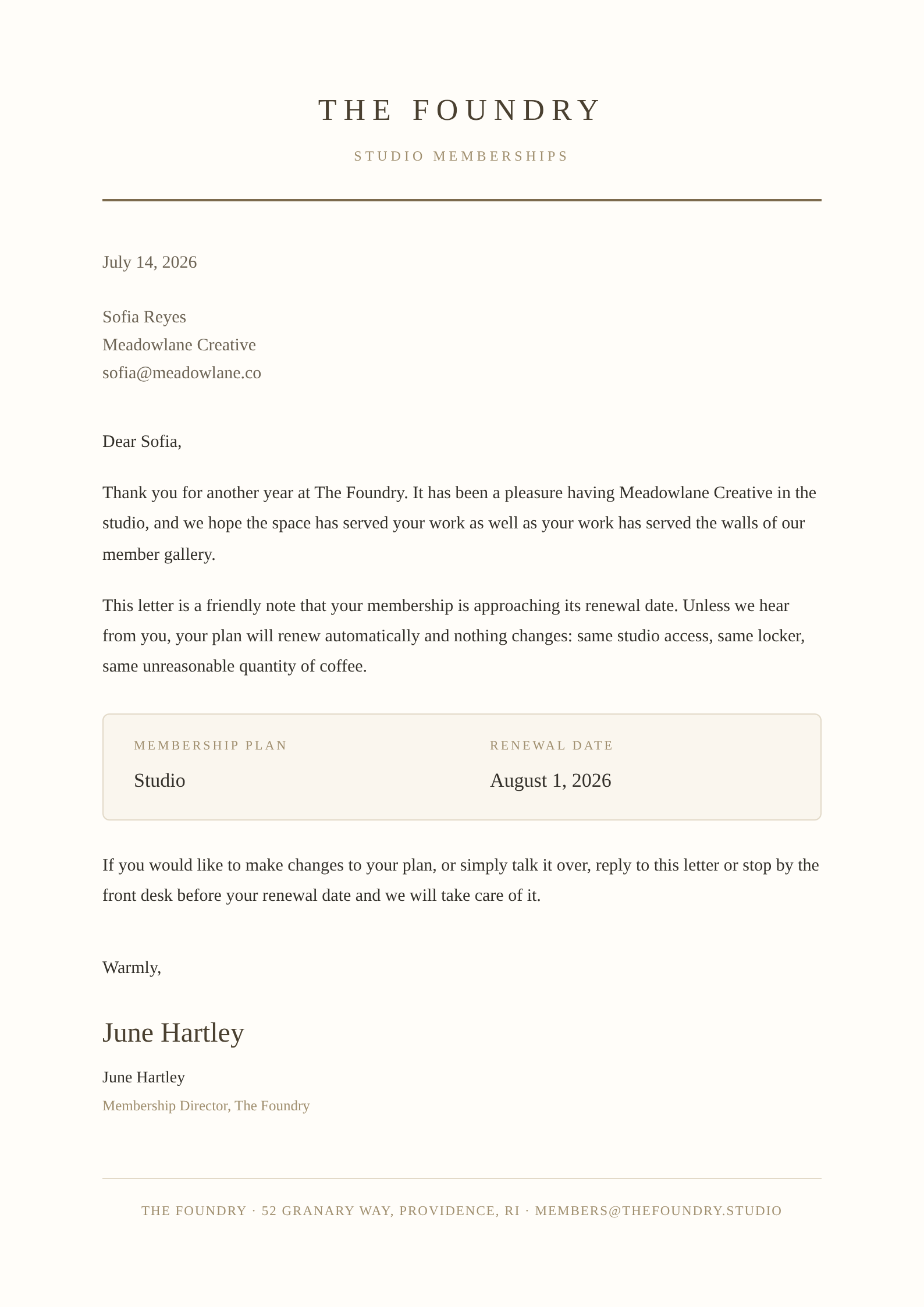
Each row becomes its own polished document, ready to download or email.
How to create documents from a spreadsheet
- 1
Upload your spreadsheet
Drop in renewal_letters.xlsx, or connect the Google Sheets™ spreadsheet the list already lives in. One row per recipient, with columns like name, email, plan, and renewal_date.
- 2
Add one finished letter
Upload a letter you have already sent, as a PDF or a screenshot. That single example is what the template gets built from, so choose the one with the letterhead you want everybody to receive.
- 3
Let SheetRender build the template
It reads the example, rebuilds the layout, and matches your columns to the places they belong: Sofia Reyes into the greeting, her Studio plan and August 1 renewal into the body.
- 4
Check the preview against real rows
The preview runs on your own rows, no placeholder text anywhere. A name that wraps onto a second line or a date in the wrong format shows up here, not after 400 files exist.
- 5
Adjust anything in the editor
Change wording, spacing, or a typeface directly, or describe the change in a sentence and let SheetRender make it. Every plan includes unlimited design refinements, so the tenth revision costs nothing extra.
- 6
Generate one PDF per row
Every row comes out as its own file. Download them one at a time, take the batch as a zip, or email each letter to the address in the email column with a subject line you write.
Frequently asked questions
- How do I mail merge into separate PDF files instead of one long document?
- Use a tool that writes one file per row. In SheetRender you upload the spreadsheet and one example letter, and the run produces a separate PDF for every row, downloadable one by one or as a zip. No splitting step exists because nothing was ever joined.
- Can Word or Google Docs™ split a mail merge into individual files?
- Not on their own. Word merges into a single document that you then split by hand or with a VBA macro, and Google Docs™ needs an add-on such as Autocrat, which runs against Google Apps Script™ quotas. Neither ships a one-file-per-record button.
- Can each PDF be named after the person it is for?
- Yes. Filenames are built from your columns, so renewal_letters.xlsx produces sofia-reyes-renewal.pdf and tom-okafor-renewal.pdf, not a folder of merge_1.pdf through merge_400.pdf.
- Do the letters have to go out by email?
- No, email is one option among several. Download the batch and print it, hand the zip to whoever sends it, or point SheetRender at the email column and let each letter go to its own recipient. Delivery is a step you trigger after reviewing the batch, so nothing leaves while you are still checking it.
- What does the free plan cover?
- 50 documents a month, with a small "Made with SheetRender" footer on the page and no scheduled runs. It is enough to take one real list all the way through and see the output before paying anything.