Payslip Generator
Payslips for every employee, every pay period
Your payroll export already holds the final numbers, one row per employee. Upload it with one example payslip and SheetRender renders a separate PDF for each person. Set it up once and every following period runs on its own.
Sound familiar?
- Every pay period ends the same way: the same hour of copy-paste from the payroll export into the same payslip layout
- Sending each payslip to the right person by hand is slow, and one attachment on the wrong email is a serious privacy problem
- Standalone payslip tools make you re-enter figures your payroll export already produced
How SheetRender helps
Payroll paperwork that stops repeating
Start from the payslip you already send
Upload one payslip you use today, as a PDF, a Word .docx, a web page or a screenshot. SheetRender studies the layout and rebuilds it as a template mapped to your spreadsheet columns.
Every employee, straight from your export
Each row becomes its own payslip PDF. SheetRender never calculates pay: it presents exactly the figures already sitting in that employee's row, formatted as real currency.
Set it once and the next period follows
Connect the Google Sheets spreadsheet your payroll lands in, set it to run monthly, and choose the column holding each address. Before every run SheetRender pulls the fresh rows and skips the ones it already processed, then emails each employee their own payslip.
See it in action
Your data becomes individual payslips
| employee | period | gross | net |
|---|---|---|---|
| Amara Osei | June 2026 | $5,200.00 | $3,914.50 |
| Ben Whitaker | June 2026 | $4,150.00 | $3,190.75 |
| Carla Jimenez | June 2026 | $5,800.00 | $4,326.10 |
| Dan Kowalski | June 2026 | $3,975.00 | $3,061.40 |
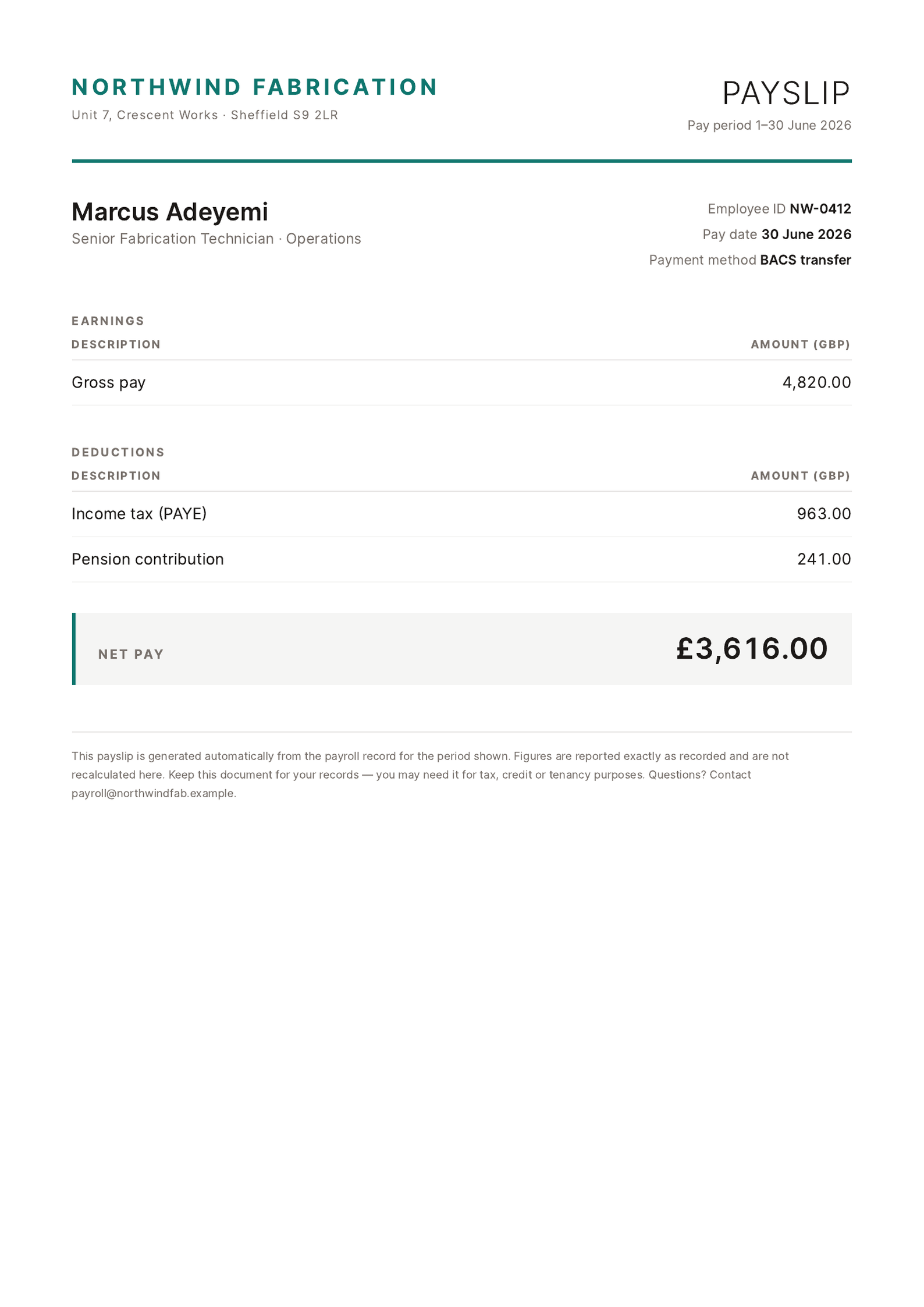
Each row becomes its own polished document, ready to download or email.
How to create payslips from a spreadsheet
- 1
Bring in the payroll export
Upload payroll_june.xlsx, or connect the Google Sheets spreadsheet your payroll run writes into. One row per employee, with gross and net already final.
- 2
Upload the payslip you issue today
A PDF from last period is the ideal example. SheetRender rebuilds its layout, deduction lines included, and maps your columns onto it.
- 3
Check the figures against a real row
Preview Amara Osei for June and read $5,200.00 gross and $3,914.50 net off the page. SheetRender never recalculates pay; it shows what the row already holds.
- 4
Adjust the layout once
Employer address, the pay date note, the order of the deduction block: set them in the editor and every period inherits them.
- 5
Generate the period
Every employee gets their own PDF. Send each one to the address in their row, so nobody opens an attachment with a colleague's pay on it.
- 6
Set the monthly schedule
Pick a monthly run and the hour it fires, turn on "skip rows that were already processed", and choose the column holding each employee's address as the schedule's delivery. Schedules start on Starter.
- 7
Let payday send itself
At the hour you set, the schedule re-reads the sheet, renders the rows it has not seen and emails each payslip to the address on its row, with nobody signed in. It can also mail the merged PDF to payroll for the records, or save the files to a Google Drive folder.
Frequently asked questions
- Can payslips be generated automatically every month?
- Yes. Connect the Google Sheets spreadsheet payroll writes to, set a monthly run and the hour it fires, and SheetRender renders and emails the new rows with nobody opening the app. Scheduling is on Starter ($19 a month) and above; free is on-demand only.
- Does SheetRender calculate tax or deductions?
- No, and it should not. It is a renderer: whatever your payroll software worked out is what the payslip shows. A wrong deduction gets fixed upstream, then re-rendered.
- How do I make sure each employee only sees their own payslip?
- The address comes from the same row as the figures, so a payslip cannot be paired with the wrong person the way it can when someone attaches 40 files by hand at 5pm. One message, one attachment, no shared folder for anyone to browse.
- Will payslips come from our company's email address?
- On Pro and Business, yes. Add your domain under Settings, publish the DNS records it lists, and once they verify, payslips send from an address on your domain. Starter sends from SheetRender's address with a reply-to you set, so an employee who answers the email reaches payroll.
- Does this replace my payroll provider?
- No. It sits after your provider: export the period as CSV or XLSX, or have it land in a sheet, and SheetRender handles only the document at the end of the process.
- Is the free plan usable for real payslips?
- Not for ones you send to staff. Free puts a small "Made with SheetRender" footer on every page, which is fine while you check the layout and wrong on a payslip. Starter removes it and includes the monthly schedule.
Guides
- Email Everyone Their Own PDF From a SpreadsheetHow to email each person their own PDF from a roster: why Gmail's merge can't, how Autocrat and YAMM do it, and where each delivery route stops.
- Turn New Sheet Rows into PDFs Without Burning Zapier TasksA sheet to PDF to email Zap costs two tasks per row plus a document tool subscription. What 200 documents a month costs, and where each route breaks.