Offer Letters & HR Docs
Generate offer letters in bulk from a spreadsheet
Turn a spreadsheet of new hires into personalized offer letters, plus onboarding packets and employment contracts. Stop hand-editing a template for every hire: upload your HR data and one example offer letter, and SheetRender builds every file.
Sound familiar?
- Every new hire means 30+ minutes of copy-paste into document templates
- A wrong salary or start date in an offer letter is a serious problem
- Managing multiple document types per hire multiplies the work
How SheetRender helps
A better way to create offer letters
Use your existing HR documents
Upload the offer letter or onboarding packet you already use. SheetRender matches the layout, branding, and formatting. No template builder required.
Every new hire, every field
Name, role, salary, start date, manager: each row becomes a complete, personalized document. Generate the entire batch in one click.
Deliver directly
Choose the email column and a subject, then send each finished document directly to the matching recipient.
See it in action
Your data becomes personalized HR documents
| name | role | salary | start_date |
|---|---|---|---|
| Alex Rivera | Senior Engineer | $145,000 | 2026-08-01 |
| Kim Nguyen | Product Designer | $125,000 | 2026-08-15 |
| Jordan Blake | Data Analyst | $110,000 | 2026-09-01 |
| Morgan Ellis | Sales Manager | $135,000 | 2026-09-01 |
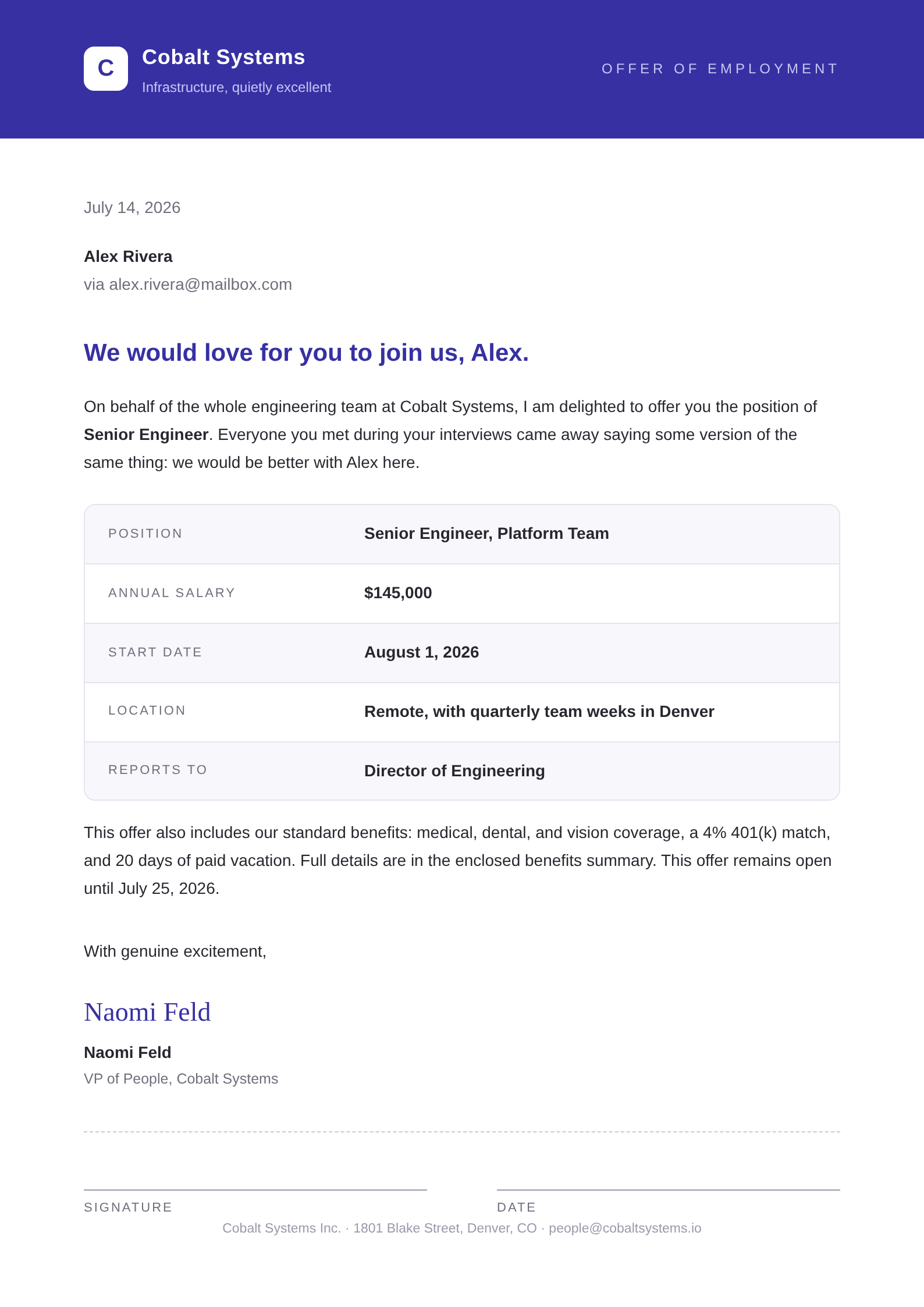
Each row becomes its own polished document, ready to download or email.
How to create offer letters from a spreadsheet
- 1
Upload the hire list
new_hires_q3.xlsx with one row per person: name, role, salary, start_date. A connected Google Sheets™ spreadsheet works too if your recruiting pipeline lives there.
- 2
Add the offer letter you use today
Upload the version legal already signed off on. SheetRender rebuilds that document rather than writing one, so your clauses come through as written.
- 3
Check the two fields nobody can get wrong
The preview puts the $145,000 and the August 1 start on the real page for Alex Rivera. Read those against the spreadsheet before any file exists.
- 4
Adjust and lock the template
Fix spacing, the signature block, or the letterhead in the editor. Once it is right, the same template serves every future hire batch without another setup.
- 5
Generate and send
Each hire gets their own PDF, named from their row. Email each letter to the candidate address column, or download the batch for whoever handles countersigning.
- 6
Run the rest of the paperwork from the same sheet
An onboarding packet or an employment contract becomes a second template over the same columns: upload that example and generate again. Free holds two templates and Starter fifteen, so a full HR set is a paid-plan setup.
Frequently asked questions
- Can I generate offer letters in bulk from a spreadsheet?
- Yes. One row per candidate plus one example letter produces a separate PDF per hire, each carrying the name, role, salary, and start date from that row. A batch of twelve is one run.
- Can I keep the wording exactly as our lawyer wrote it?
- Mostly, and check it. A model rebuilds the page from your example rather than writing fresh offer-letter prose, so the wording follows your letter, but nothing verifies it word for word. Read the first preview against the approved version, and if a clause has shifted, the editor is where you put it back.
- Do offer letters get signed inside SheetRender?
- No, there is no e-signature step. You get PDFs, and they go through DocuSign or whatever your company already uses for signature.
- What happens if a start date changes after I generate?
- Update the cell and run that hire again. Nobody edits the PDF, which is the point: the letter always comes from the spreadsheet, so what the candidate holds and what your records say cannot disagree.
- How long is salary data kept?
- For as long as your plan keeps document history, which is 30 days on free and stretches to no expiry on Business. Deleting a project removes its documents and the stored files behind them straight away, and given what is in an offer letter, that is worth doing once a hire is signed.