Quote & Proposal Generator
Turn a spreadsheet of deals into polished quotes
Every deal gets its own professional quote or proposal: right client, right scope, right total. Upload your data and one quote you love, and SheetRender builds the rest.
Sound familiar?
- Every quote means copying client details and prices into a template by hand
- One wrong pasted number can cost you the deal, or your margin
- Proposal tools make you rebuild your quote in their editor before you can send anything
How SheetRender helps
A better way to create quotes
Your quote design, automated
Upload a quote you already send: your logo, your layout, your terms. SheetRender studies it and rebuilds it as a template for your data. No builder, no code.
Numbers straight from your spreadsheet
Client names, scopes, and totals are pulled from your columns and formatted as real currency. No retyping, so no retyping mistakes.
From spreadsheet to sent
Generate the whole batch in one run, review it, then email each quote directly to the matching contact. Follow-ups go out the same afternoon, not next week.
See it in action
Your data becomes personalized quotes
| client | service | scope | total |
|---|---|---|---|
| Harbor & Vine | Brand refresh | 3 deliverables | $7,400 |
| Northwind Legal | Website redesign | 5 pages | $9,800 |
| Bluebird Cafe | Menu design | 2 menus | $1,650 |
| Summit Physio | Social templates | 12 templates | $2,300 |
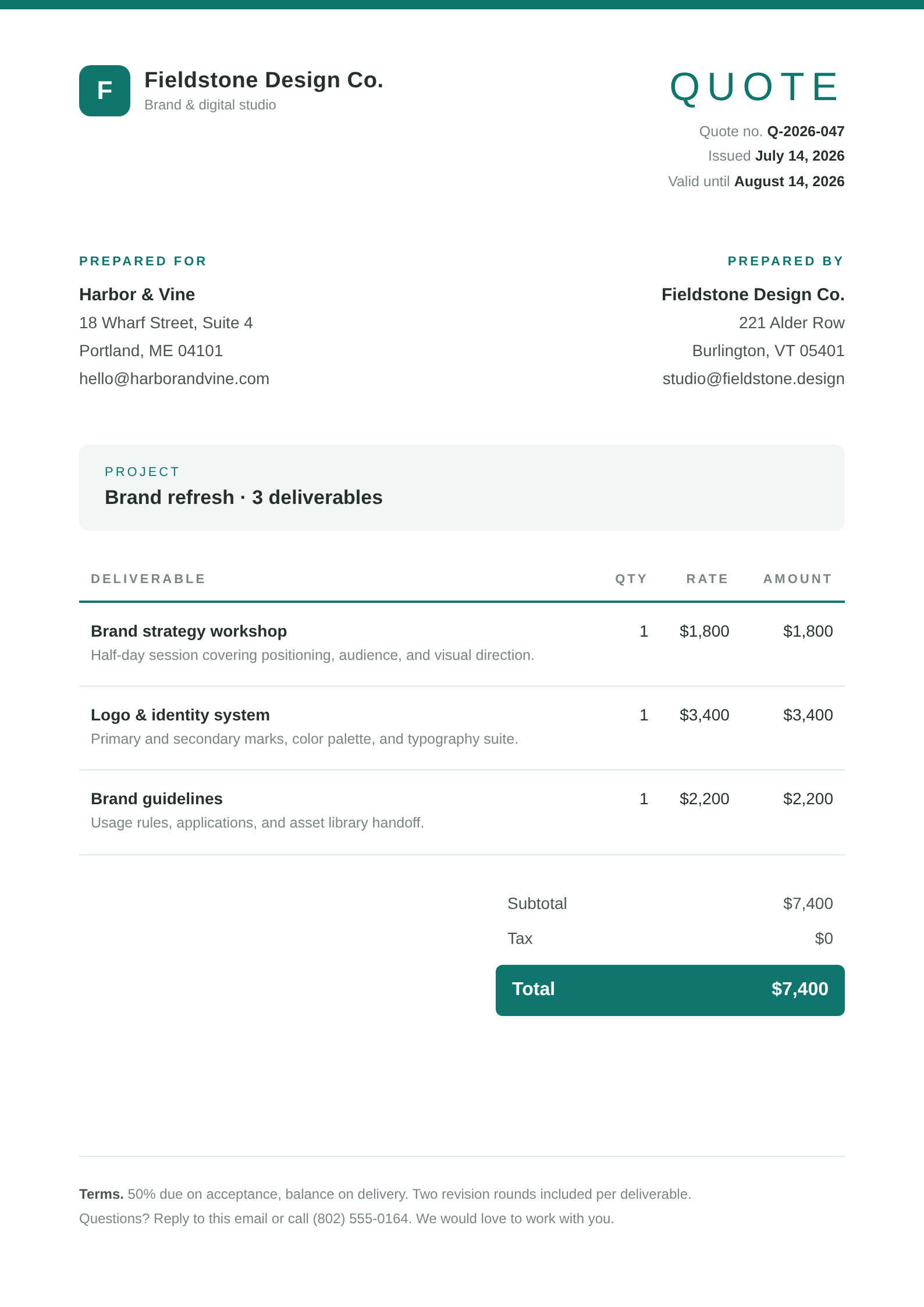
Each row becomes its own polished document, ready to download or email.
How to create quotes from a spreadsheet
- 1
Load the deals
Upload q3_quotes.xlsx or connect the pipeline sheet you track deals in. One row per quote: client, service, scope, total.
- 2
Upload a quote you have already sent
Use the version with your logo, your payment terms, and the spacing you like. The template comes from that file, so what goes out looks like your quotes and not a generic form.
- 3
Watch your columns land on the page
Harbor & Vine goes into the client block and $7,400 into the total, formatted as currency. Nobody retypes a figure that already exists in the spreadsheet.
- 4
Tune the template before anything is generated
Edit terms, headings, or spacing and every change re-renders against a real row, so you can see how your longest scope line behaves.
- 5
Generate and send
Each deal comes out as its own PDF. Email them straight to the contact column, or download the batch and attach them yourself.
Frequently asked questions
- Can I turn a spreadsheet of deals into individual quote PDFs?
- Yes, that is the whole flow: one row becomes one quote PDF. Upload q3_quotes.xlsx or a similar sheet, add one quote you already send as the example, and the run gives you a file per client.
- Does SheetRender handle e-signatures?
- No. There is no signing or payment step here, so the finished PDF goes into whatever you already use for signature. If closing the deal inside the tool matters, Portant and Formstack Suite both cover that and we do not.
- What about quotes with a different number of line items each?
- Each spreadsheet row renders one document, so anything that varies per quote has to live in that row: a scope column, three line-item columns, a totals column. A quote with fifteen unpredictable line items is a poor fit for a flat sheet.
- What if I get a price wrong?
- Correct the cell and generate again. The template is unchanged, so a fixed quote costs one more render rather than an edit inside a PDF, and the spreadsheet stays the record of what you sent.
- Can I keep separate templates for quotes and proposals?
- Yes. Each layout is a template of its own, built from its own example document, and both can read the same spreadsheet: the short quote for a small job, the longer proposal for a big one. The free plan holds two templates, which is exactly enough for that pair.